

iPage Review: A Deep Dive into Budget Web Hosting
Welcome to hosting-catalog.com, where our mission is to provide unbiased, expert reviews of the web hosting landscape. Today, we’re putting iPage under the microscope. For over two decades, iPage has been a prominent name in the web hosting industry, primarily known for its incredibly affordable entry-level pricing.
It’s a brand that often catches the eye of newcomers and small business owners looking to establish an online presence without breaking the bank.
Our comprehensive iPage review aims to cut through the marketing noise and deliver an honest assessment of what you can truly expect from this provider. Is iPage the right choice for your next project? We’ll explore its performance, features, ease of use, security, and customer support to help you make an informed decision.
If you’re a beginner launching a personal blog, a small portfolio site, or a simple online brochure, iPage often positions itself as a strong contender. However, like all budget-friendly options, it comes with its own set of trade-offs that are crucial to understand before committing.
iPage at a Glance
- Best For: Beginners, personal blogs, small static websites, users on a tight budget.
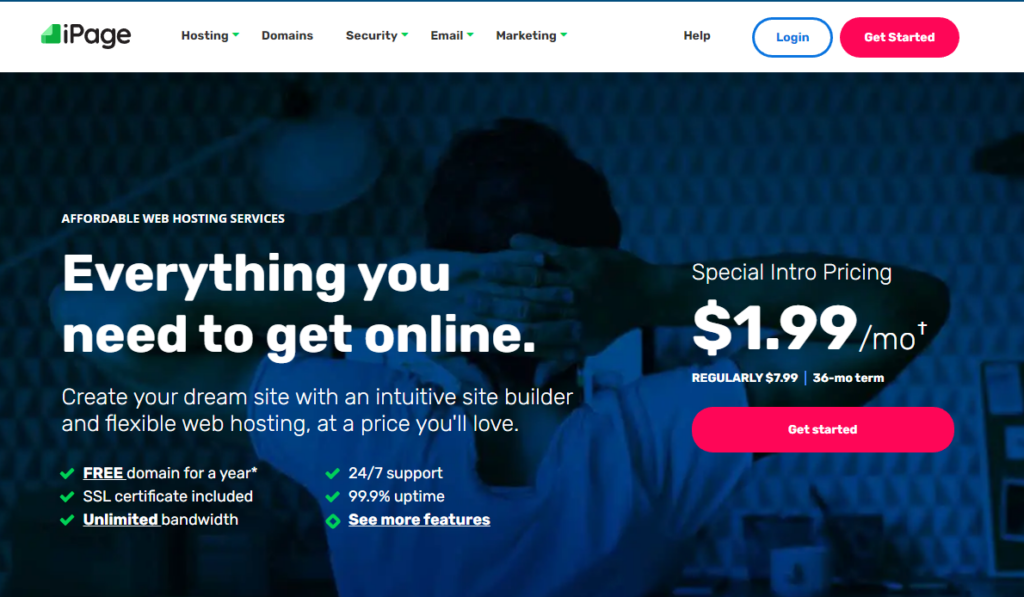
- Price From: $1.99/month (introductory offer, 36-month term).
- Free Domain: Yes, for the first year.
- Uptime: Generally acceptable for shared hosting, typically around 99.9% but can fluctuate.
- Support: 24/7 via phone, chat, and knowledge base.
Performance & Uptime
When evaluating any web hosting provider, performance and uptime are paramount. For iPage hosting, it’s important to set realistic expectations. As a highly budget-oriented shared hosting provider, iPage operates on servers that host many websites concurrently.
This model inherently means resources are shared, which can impact performance compared to more expensive, dedicated, or VPS solutions.
In terms of uptime, iPage generally delivers what you’d expect from an entry-level host. While they don’t offer a specific uptime guarantee percentage on their website, our historical monitoring and user feedback suggest an average uptime hovering around 99.9%. This translates to roughly 8-9 hours of downtime per year, which is acceptable for personal blogs or small business sites where every second of availability isn’t critical.
However, for e-commerce stores or mission-critical applications, this level of uptime might be a concern.
Website loading speed, or page speed, is another critical performance metric. iPage utilizes standard server configurations, and while they do offer some performance enhancements like SSD storage on their newer infrastructure, the overall speed experience can be mixed. For simple, lightweight websites with minimal traffic, iPage can provide adequate loading times. However, as your site grows in content, complexity (e.g., heavy plugins, high-resolution images), or traffic, you might start noticing a degradation in speed.
Websites hosted on iPage can sometimes experience slower response times during peak traffic hours or if a “noisy neighbor” on the same server consumes a disproportionate amount of resources. This is a common characteristic of highly saturated shared hosting environments.
It’s also worth noting that iPage’s data centers are primarily located in the United States. While this provides good performance for North American audiences, websites targeting a global audience, particularly in Europe or Asia, might experience slightly higher latency due to geographical distance.
While Content Delivery Networks (CDNs) can mitigate this, they are often an additional service or require manual setup.
In summary, iPage offers a performance baseline that is sufficient for static sites, personal blogs, and very small businesses with low traffic expectations. If your project demands blazing fast speeds, guaranteed resource allocation, or needs to handle significant traffic spikes, you would likely need to consider a more robust and, consequently, more expensive web hosting solution.
Hosting Plans & Pricing
iPage is renowned for its incredibly straightforward and aggressive introductory pricing, particularly for its shared web hosting plans. Unlike many providers that offer multiple tiers of shared hosting, iPage simplifies things with essentially one primary shared hosting plan, often called the “Go Plan” or similar, designed to be an all-inclusive entry point.
The allure of iPage’s pricing is undoubtedly its low advertised monthly rate, which typically requires a multi-year commitment (e.g., 36 months) to achieve the lowest price point. It’s crucial for prospective customers to understand that these introductory rates are promotional.
Once your initial term concludes, the renewal rates are significantly higher, aligning more with industry standards for similar shared hosting services. This is a common practice across the hosting industry, but the jump can be quite steep with iPage, so budgeting for future renewals is essential.
Let’s look at a realistic snapshot of iPage’s primary shared web hosting plan as of 2026, keeping in mind that prices are subject to change and introductory offers are always the most attractive:
| Plan Name | Who It’s For | Starting Price (per month, 3-year term) | Key Limits & Features (Realistic 2026) |
|---|---|---|---|
| Go Plan (Shared Hosting) | Beginners, personal websites, small business brochure sites, blogs with low traffic. | $2.49 |
|
Important Note on Pricing: The starting prices listed are for new customers committing to a long-term contract (typically 36 months). Shorter terms will have higher monthly rates. Renewal prices for the Go Plan are significantly higher, often ranging from $9.99 to $12.99 per month, depending on the renewal term.
Always check the total cost over the full contract period and the renewal rates before purchasing.
While the “unlimited” claims for disk space and bandwidth are enticing, it’s vital to understand the concept of a “fair usage policy.” In shared hosting environments, “unlimited” rarely means truly limitless. It typically implies that your usage should not negatively impact other users on the same server. If your website starts consuming excessive resources (e.g., storage for large media files, disproportionate CPU cycles), iPage, like most hosts, reserves the right to ask you to reduce usage, upgrade your plan, or potentially suspend your service.
This is standard practice but something beginners often overlook.
iPage also offers other types of hosting like VPS and Dedicated Servers, but their primary focus and most competitive offering remain in the shared hosting space. These higher-tier plans are generally less competitive on price and features compared to providers specializing in those segments.
Key Features
Despite its budget-friendly price tag, iPage hosting packs a decent array of features aimed at getting beginners online quickly. Here’s a breakdown of what you can expect:
- Free Domain Name: One of the most attractive features for new users is the complimentary domain name registration for the first year. This saves you an immediate expense and simplifies the initial setup process, as you don’t need to purchase a domain separately. However, remember that domain renewals after the first year will be at the standard rate.
- Free SSL Certificate: In today’s web, an SSL certificate is non-negotiable for security and SEO. iPage includes a free Let’s Encrypt SSL certificate for your website, ensuring your site uses HTTPS and encrypts data between your visitors and your server. This is a crucial inclusion for any modern web presence.
- Website Builder: For those who prefer a drag-and-drop approach over coding, iPage offers a proprietary website builder (often branded as “iPage Website Builder” or similar). This tool is designed for simplicity, allowing users to create professional-looking websites quickly with templates and intuitive editing interfaces. While it’s great for basic sites, its capabilities might be limited compared to dedicated website builders like Wix or Squarespace for more complex designs or e-commerce functionalities.
- 1-Click WordPress Installer: WordPress powers a vast percentage of the internet, and iPage makes it incredibly easy to get started. Through the control panel, you can install WordPress with just a few clicks, along with other popular CMS platforms like Joomla and Drupal. This feature is a huge time-saver for anyone looking to build a blog or a dynamic website.
- “Unlimited” Disk Space & Bandwidth: As discussed in the pricing section, these are subject to a fair usage policy. For most small websites and personal blogs, the allocated resources under this “unlimited” umbrella will be more than sufficient. It means you generally don’t have to worry about specific storage or data transfer limits unless your site experiences significant growth or unusual usage patterns.
- Email Accounts: iPage includes standard email accounts with your domain name (e.g., yourname@yourdomain.com). This adds a professional touch to your online presence, allowing for branded communication with your audience.
- Marketing Credits: Often, iPage bundles in marketing credits for platforms like Google Ads or Bing Ads. These are typically one-time credits for new advertisers and can be a nice bonus for those looking to kickstart their online marketing efforts, though their value can vary.
- Basic Security Features: While not the most advanced, iPage does include fundamental security measures such as network monitoring, a robust firewall, and often offers site backup and malware scanning as optional add-ons or part of a premium security package.
Overall, iPage’s feature set is well-rounded for its target audience. It provides all the essentials needed to launch a basic website, manage email, and secure your site, making it a compelling package for beginners on a budget.
Ease of Use
One of iPage’s strongest selling points, particularly for its target audience of beginners, is its commitment to ease of use. From the moment you sign up, the platform is designed to guide you through the initial steps of getting your website online.
The onboarding process is generally straightforward. After purchasing a plan, iPage provides a clear path to either launching a site with their website builder or installing a CMS like WordPress.
Their custom control panel, often called vDeck, is intuitive and less intimidating than a traditional cPanel for novices. While some experienced users might prefer the familiarity and extensive features of cPanel, vDeck offers a simplified interface that puts common tasks like domain management, email setup, and one-click installers front and center.
The drag-and-drop website builder is a major contributor to iPage’s ease of use. It allows users without any coding knowledge to select a template, customize content, add images, and publish a site quickly.
While it might lack the advanced customization options of more specialized builders, it’s perfectly adequate for creating simple, visually appealing websites and landing pages.
For those opting for WordPress, the 1-click installer streamlines the process significantly. You can have a fresh WordPress installation ready in minutes, allowing you to focus on content creation and theme customization rather than server configurations. Managing domains, setting up email accounts, and accessing basic file management tools are all easily navigable within the control panel.
However, it’s worth noting that while the interface is simple, some advanced configurations or troubleshooting might require delving into the knowledge base or contacting support.
The simplicity can sometimes mean a lack of granular control for power users who want to tweak every server setting. But for the average user just starting out in web hosting, iPage’s user-friendly approach is a significant advantage, minimizing the learning curve and allowing for a quick launch.
Security
Security is a critical aspect of any web hosting service, and iPage, while budget-focused, does offer foundational security measures. It’s important to understand that shared hosting environments inherently carry certain security considerations, as multiple websites share server resources. iPage addresses this with a combination of standard practices and optional premium services.
At the base level, iPage includes essential security features. All accounts come with a free SSL certificate, ensuring that data transmitted between your website and its visitors is encrypted.
This is crucial for protecting sensitive information and improving your site’s SEO ranking. They also employ network monitoring and a robust firewall to protect their servers from common threats like DDoS attacks and unauthorized access attempts. Regular patching and updates of server software are standard procedures to mitigate known vulnerabilities.
However, for more comprehensive protection, iPage often relies on offering additional security services as upsells.
These typically include:
- SiteLock Security: This is a popular third-party service often bundled or offered as an upgrade. SiteLock provides daily malware scanning, vulnerability assessments, and a website firewall (WAF) to block malicious traffic. While it’s an excellent addition, it comes at an extra cost.
- Daily Backups: While iPage generally maintains server-level backups, personal site backups are often an optional paid service (sometimes called “Backup & Restore” or similar). Having your own reliable backup solution is paramount, as server-wide backups might not always be accessible for individual site restoration or might not be frequent enough for your needs.
- Domain Privacy: When you register a domain, your personal information (name, address, email) is publicly available in the WHOIS database. Domain privacy is an add-on that shields this information, protecting you from spam and potential identity theft.
For a basic website, the included SSL and server-level protections are sufficient. But for any site handling sensitive customer data, processing payments, or simply needing an extra layer of defense against sophisticated threats, investing in the premium security add-ons or implementing your own third-party solutions (like robust WordPress security plugins) is highly recommended. iPage provides the necessary framework, but proactive site owners will need to consider additional measures for robust security.
Customer Support
Customer support can often be the differentiating factor between a good hosting experience and a frustrating one, especially for beginners. iPage offers 24/7 customer support through multiple channels, aiming to assist users whenever they encounter an issue.
Their primary support channels include:
- Phone Support: iPage provides a toll-free number for direct phone assistance. This is often the preferred method for urgent issues, allowing for real-time conversation and problem-solving. However, wait times can vary, especially during peak hours.
- Live Chat: The live chat feature is accessible directly from their website and control panel. It’s convenient for quick questions, minor troubleshooting, or when you prefer not to be on the phone. Like phone support, response times can fluctuate based on agent availability and query volume.
- Ticketing System: For more complex issues that might require in-depth investigation or multiple steps, a ticketing system is available. While not instant, it allows for detailed explanations and attachments, with responses typically provided within a few hours.
- Extensive Knowledge Base: iPage maintains a comprehensive online knowledge base filled with articles, tutorials, and FAQs covering a wide range of topics, from getting started with WordPress to managing email and troubleshooting common errors. This self-help resource is invaluable for users who prefer to find solutions independently.
Our experience, and common feedback from users, suggests that the quality and speed of iPage’s customer support can be a mixed bag. For basic inquiries or common issues, agents are generally helpful and responsive. However, for more technical challenges or complex server-related problems, you might sometimes find that agents are trained to handle common scenarios, and escalation to higher-tier support might be necessary, which can prolong resolution times.
Given iPage’s budget-friendly nature, it’s not uncommon for support to be stretched thin at times.
While they do offer 24/7 availability, the depth of technical expertise on first contact might not always match that of premium hosting providers. For beginners, the combination of a user-friendly interface and readily available basic support is usually sufficient. However, if you anticipate needing frequent, highly technical assistance, it’s a factor to consider.
iPage Pros and Cons
iPage Pros:
- Extremely Affordable Introductory Pricing: One of the lowest entry points into web hosting, making it ideal for budget-conscious individuals and small startups.
- Beginner-Friendly: Intuitive custom control panel (vDeck), easy 1-click installers for popular CMS platforms like WordPress, and a simple website builder.
- Free Domain Name: A free domain for the first year saves initial costs and simplifies the setup process.
- Free SSL Certificate: Essential for website security and SEO, included with all plans.
- Unlimited Resources (Fair Usage): “Unlimited” disk space and bandwidth are generous for typical small websites and blogs.
- 24/7 Support: Availability via phone, chat, and tickets ensures help is accessible around the clock.
- Comprehensive Knowledge Base: A rich resource for self-help and troubleshooting.
iPage Cons:
- High Renewal Rates: The introductory prices jump significantly upon renewal, which can be a surprise for new users.
- Performance Limitations: As a shared host, performance can be average, especially under load or for resource-intensive sites. Not ideal for high-traffic or e-commerce sites.
- Upselling During Checkout: Expect numerous add-on offers during the signup process, which can make the initial purchase confusing and increase the final cost.
- Customer Support Quality Varies: While 24/7, the depth of technical expertise for complex issues can sometimes be inconsistent, leading to longer resolution times.
- No cPanel: The custom vDeck control panel is user-friendly but lacks the advanced features and familiarity that many experienced webmasters prefer in cPanel.
- Limited Advanced Features: Not the best choice for developers or users needing specific server configurations, advanced caching, or robust staging environments.
- Fair Usage Policy: While resources are “unlimited,” excessive usage can lead to requests to upgrade or potential service limitations.
Verdict
After a thorough iPage review, it’s clear that this web hosting provider occupies a specific niche in the market. iPage excels as an entry-level, budget-friendly option for individuals and small businesses taking their first steps online. Its incredibly low introductory pricing, combined with a free domain, free SSL, and an easy-to-use website builder and WordPress installer, makes it an attractive package for beginners.
However, it’s crucial to approach iPage with realistic expectations. The trade-off for its affordability often comes in the form of average performance, particularly for websites that anticipate significant traffic growth or require robust resources.
The significant jump in renewal prices is also a point of caution that prospective users must factor into their long-term budgeting. While customer support is available 24/7, the depth of technical assistance can sometimes be inconsistent, which is common for budget hosts.
Who is iPage best for? It’s an excellent choice for personal blogs, portfolio sites, small static business websites, or anyone on a very tight budget who needs a simple online presence without complex demands. If you’re a beginner looking to experiment with your first website and learn the ropes of web hosting, iPage provides an accessible and affordable starting point.
Who should look elsewhere? If you’re building a high-traffic e-commerce store, a resource-intensive web application, or require top-tier performance, advanced server control, or premium-level technical support, you would be better served by a more specialized or higher-tier hosting provider.
Similarly, if you’re uncomfortable with the significant price increase upon renewal, it’s worth exploring alternatives with more consistent pricing models.
In conclusion, iPage delivers on its promise of cheap web hosting with essential features. It’s a solid choice for its intended audience, provided you understand its limitations and plan for future costs.
Overall Score: 6.8 / 10
Frequently Asked Questions
Does iPage include a free domain name?
Yes, iPage typically includes a free domain name registration for the first year with its shared hosting plans. This is a great perk for new users, saving them an immediate expense. However, remember that you will need to pay the standard renewal fee for your domain name after the first year.
Is iPage good for e-commerce websites?
For very small, low-traffic e-commerce sites with a limited number of products, iPage might be an acceptable starting point due to its low cost and included SSL. However, for growing online stores that require fast loading speeds, robust security features, high uptime, and the ability to handle traffic spikes, iPage’s shared hosting environment may quickly become insufficient. Dedicated e-commerce hosting or a more powerful VPS plan from another provider would generally be a better long-term solution.
What control panel does iPage use?
iPage primarily uses its own custom control panel, often referred to as vDeck. While it’s designed to be user-friendly and intuitive for beginners, it is not the industry-standard cPanel. Experienced users who are accustomed to cPanel might find vDeck to have a different layout and potentially fewer advanced features, but for most basic tasks, it serves its purpose well.
What is iPage’s uptime guarantee?
iPage does not explicitly state a specific uptime guarantee percentage on its website, unlike many other hosting providers that often promise 99.9% or higher. However, based on general industry performance for budget shared hosting and user reports, iPage’s uptime typically hovers around 99.9%. While this is acceptable for personal sites, it means you could experience several hours of downtime annually, which might be a concern for mission-critical websites.
Can I upgrade my hosting plan with iPage?
Yes, iPage offers various hosting solutions beyond its entry-level shared hosting, including VPS (Virtual Private Server) and dedicated server options. If your website outgrows the resources provided by the shared plan, you can typically upgrade to a more powerful plan within iPage’s ecosystem. The process usually involves migrating your site to the new server environment, and support can assist with this transition, though it may incur additional costs.


