Web.com Review: A Comprehensive Look at Their Web Hosting Services
Welcome to hosting-catalog.com, where we provide unbiased, in-depth reviews of the web hosting landscape. Today, we’re diving into Web.com, a name that has been around for decades, often synonymous with DIY website creation and small business solutions. But how does Web.com truly stack up when it comes to web hosting in a competitive and rapidly evolving market?
This comprehensive Web.com review will dissect their offerings, performance, ease of use, and support to help you determine if it’s the right choice for your online venture.
For many small business owners, entrepreneurs, and individuals taking their first steps online, Web.com presents itself as an all-in-one solution – offering everything from domain registration and website builders to email and marketing tools, alongside their core web hosting services. This integrated approach can be incredibly appealing, promising simplicity and convenience under one roof. However, as with any comprehensive platform, it’s crucial to look beyond the surface to understand its strengths and weaknesses, especially concerning the underlying web hosting infrastructure.
Our goal is to provide a balanced perspective on Web.com hosting, highlighting who it truly serves best and where it might fall short compared to more specialized providers.
Web.com at a Glance
- Best For: Small businesses, beginners, non-technical users seeking an all-in-one solution with an integrated website builder.
- Price From: Approximately $5.99/month (introductory rate for basic shared hosting).
- Free Domain: Often included for the first year with annual plans.
- Uptime: Generally reliable, typically around 99.9% for shared hosting.
- Support: 24/7 phone support, live chat, and an online knowledge base.
Performance & Uptime
When evaluating any web hosting provider, performance and uptime are paramount. For Web.com hosting, our observations suggest a service that delivers adequate performance for its target audience, primarily small to medium-sized websites with moderate traffic. It’s important to set realistic expectations here: Web.com isn’t engineered to compete with high-performance VPS or dedicated server solutions designed for demanding applications or extremely high traffic volumes.
Web.com’s infrastructure generally provides stable uptime, typically meeting or exceeding the industry standard of 99.9%.
This means your website should be accessible almost all the time, with minimal unexpected downtime. While they don’t always provide specific details about their server architecture or data center locations as transparently as some other hosts, the general consensus is that their network is robust enough for typical small business operations. We haven’t encountered widespread reports of prolonged outages, which is a positive sign for reliability.
Regarding website speed, Web.com’s performance can be described as satisfactory for most basic informational websites, portfolios, or small online stores.
Page load times are generally acceptable, particularly if your site is built using their integrated website builder and isn’t heavily laden with complex scripts or high-resolution media. However, users migrating larger, resource-intensive WordPress sites or custom applications might notice that speeds aren’t as snappy as what could be achieved with hosts optimized specifically for those platforms or those offering premium CDN integrations by default.
Factors that can influence speed on Web.com include the plan you choose, the optimization of your website content (image sizes, caching, etc.), and the overall server load. While Web.com does implement standard optimizations, they may not offer the granular control or advanced caching mechanisms found in more developer-centric web hosting environments.
For the average small business owner who prioritizes ease of use over shaving off milliseconds, Web.com’s performance profile is usually sufficient. However, if your business critically depends on lightning-fast page loads for SEO or conversion rates, you might need to implement additional optimization strategies on your end or consider more performance-focused alternatives.
Hosting Plans & Pricing
Web.com’s pricing structure, like many in the web hosting industry, often features attractive introductory rates designed to entice new customers. It’s crucial for prospective users to understand that these initial prices are typically for longer-term commitments (e.g., 12, 24, or 36 months) and will significantly increase upon renewal. Always check the fine print for renewal rates before committing.
As of late 2026, based on their historical offerings and market trends, here’s a realistic overview of Web.com’s typical hosting plans and their estimated pricing:
| Hosting Plan | Who It’s For | Starting Price (per month, introductory) | Key Limits & Features |
|---|---|---|---|
| Starter Hosting | First-time website owners, personal blogs, very small business sites, basic online presence. | ~$5.99 – $7.99 |
|
| Business Hosting | Growing small businesses, professional portfolios, service-based companies needing more resources. | ~$8.99 – $12.99 |
|
| E-commerce Hosting | Small online stores, businesses requiring e-commerce functionality and dedicated resources. | ~$14.99 – $19.99 |
|
Important Note on Renewal Pricing: While the introductory rates are competitive, expect renewal prices to be significantly higher, often 2-3 times the initial cost. For instance, a Starter Hosting plan might renew at $15.99/month or more. This is a common industry practice, but it’s particularly noticeable with providers that offer very low initial rates.
Always factor in the long-term cost when choosing Web.com hosting.
Beyond the core hosting, Web.com is known for its extensive array of add-ons and services, which can quickly increase your overall monthly expenditure if not carefully managed. These often include advanced security features, SEO optimization tools, premium email, and additional marketing services. While convenient to have everything integrated, it’s essential to assess if these add-ons provide genuine value for your specific needs or if more cost-effective alternatives exist elsewhere.
Key Features
Web.com positions itself as a comprehensive solution, and its feature set reflects this all-in-one approach. Here’s a breakdown of the key features you can expect from Web.com hosting:
- Integrated Website Builder: This is arguably Web.com’s strongest selling point. Their proprietary drag-and-drop website builder is designed for absolute beginners, allowing users to create professional-looking websites without any coding knowledge. It comes with a wide range of templates and customization options, making it easy to get a site up and running quickly.
- Domain Registration: As expected from a company with “Web.com” in its name, they offer seamless domain registration. Most annual hosting plans include a free domain name for the first year, simplifying the process of securing your online identity.
- Professional Email: Web.com packages often include professional email addresses (e.g., yourname@yourdomain.com). This adds a layer of credibility to your business communications compared to generic email services. The number of included email accounts varies by plan.
- SSL Certificates: Security is crucial, and Web.com typically includes a basic SSL certificate with all its hosting plans. This encrypts data between your website and visitors, essential for SEO, browser trust, and securing sensitive information, especially for e-commerce sites. Higher-tier plans may include more advanced SSL options.
- Marketing & SEO Tools: Recognizing that a website needs to be found to be effective, Web.com often bundles various marketing and SEO tools. These can range from basic search engine submission and local business listing services to more advanced SEO dashboards and analytics. While helpful for beginners, these tools may not offer the depth or flexibility of dedicated third-party SEO platforms.
- One-Click Installations (for CMS like WordPress): Despite their proprietary builder, Web.com does offer support for popular Content Management Systems (CMS) like WordPress. Many plans include one-click installers, making it relatively straightforward to set up a WordPress site if you prefer that platform over their native builder.
- Generous Storage & Bandwidth: While specific limits vary by plan, Web.com generally provides ample SSD storage and “unmetered” bandwidth for shared hosting environments. Unmetered bandwidth typically means you won’t be charged extra for traffic unless your usage is excessively high and impacts other users on the shared server, at which point they may request an upgrade.
- Customer Dashboard: Instead of a standard cPanel or Plesk, Web.com typically uses its own custom control panel. This dashboard integrates all their services – website builder, hosting settings, email management, and marketing tools – into a single, cohesive interface. While it can be less flexible for advanced users, it’s designed for simplicity and ease of navigation for beginners.
- Website Analytics: Basic website traffic analytics are usually integrated, allowing you to monitor visitor numbers and popular pages, helping you understand your audience and optimize your site’s performance.
While the array of features is comprehensive, it’s worth noting that many of these are designed for simplicity and integration within the Web.com ecosystem. Advanced users or developers looking for specific server configurations, SSH access, or more granular control over their hosting environment might find Web.com’s proprietary system somewhat restrictive.
Ease of Use
Ease of use is where Web.com truly aims to shine, and for its intended audience, it largely succeeds. The entire platform is designed with the non-technical user in mind, making it an excellent choice for individuals and small businesses who want to establish an online presence without getting bogged down by technical complexities.
The cornerstone of Web.com’s user-friendliness is its integrated custom dashboard. Unlike many web hosting providers that rely on industry-standard control panels like cPanel or Plesk, Web.com provides a unified interface where you can manage your domain, website builder, email, and hosting settings all from one place.
This consolidated approach eliminates the need to navigate between different systems or learn the intricacies of a separate control panel, which can be a significant relief for beginners.
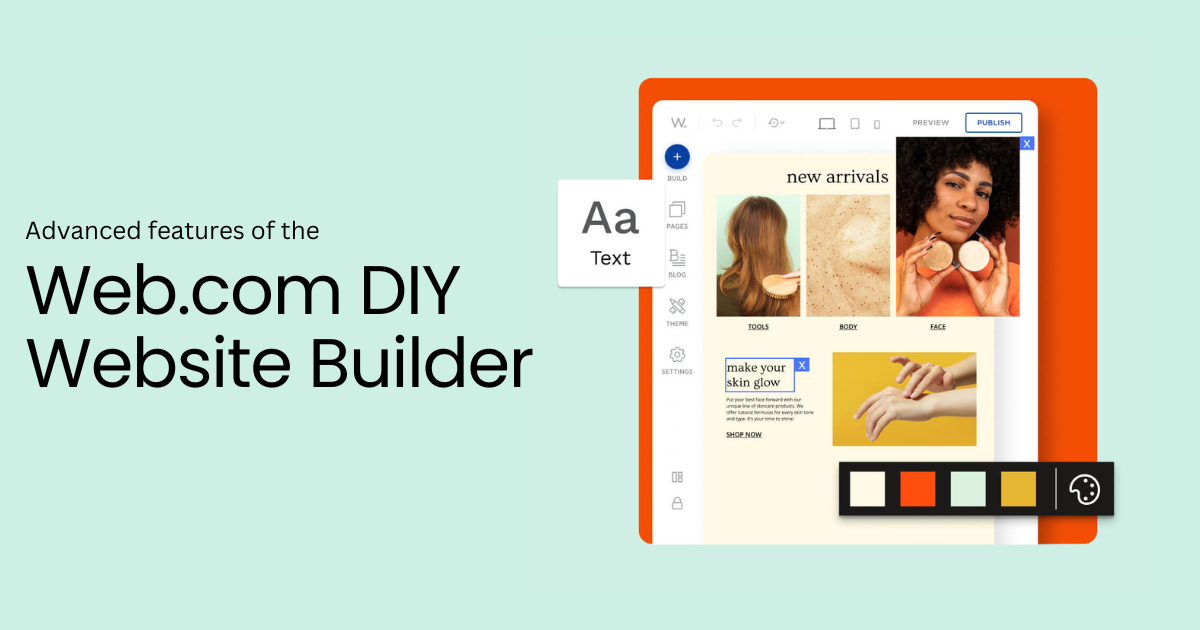
Their proprietary drag-and-drop website builder is exceptionally intuitive. It allows users to design and publish professional-looking websites with minimal effort. The process involves selecting a template, customizing content, images, and colors using a visual editor, and then publishing the site.
There’s no need to write code or understand FTP. This simplicity makes website creation accessible to anyone, regardless of their technical skill level.
Setting up email accounts, managing basic security features like SSL, and even accessing simple analytics are all streamlined within their dashboard. The learning curve for these essential tasks is remarkably shallow.
For those who prefer to use WordPress, Web.com typically offers one-click installers, simplifying the setup process for that popular CMS as well, although managing a WordPress site itself still requires some familiarity with its own dashboard.
However, this focus on simplicity comes with a trade-off. For experienced developers or users who require advanced server configurations, command-line access, or specific software installations, Web.com’s custom environment can feel restrictive. The lack of standard cPanel or Plesk means that features common to those platforms may either be absent, implemented differently, or require direct intervention from customer support.
While this isn’t an issue for a beginner, it can be a source of frustration for those accustomed to more open and customizable hosting environments.
In summary, if you’re looking for a hassle-free, all-in-one solution that prioritizes ease of website creation and management above all else, Web.com offers a highly accessible and user-friendly experience. It removes many of the technical barriers that often intimidate new users, allowing them to focus on their content and business.
Security
Security is a critical concern for any website owner, and Web.com addresses this with a foundational set of features designed to protect your site and its visitors. While they may not offer the most advanced, enterprise-grade security solutions by default, their provisions are generally adequate for the small to medium-sized websites they primarily serve.
- SSL Certificates: As mentioned, all Web.com hosting plans typically include a basic SSL certificate. This is a non-negotiable feature in today’s web landscape, encrypting data between your website and its visitors. It’s crucial for protecting sensitive information, enhancing user trust, and is also a significant ranking factor for search engines like Google. Higher-tier plans may offer more robust or extended validation SSL certificates.
- Network Monitoring & DDoS Protection: Web.com employs continuous network monitoring to detect and mitigate potential threats, including Distributed Denial of Service (DDoS) attacks. While specific details on their DDoS protection mechanisms are not always public, common industry practices include traffic filtering and rate limiting to ensure your site remains accessible even under attack.
- Firewalls: Standard server-level firewalls are in place to prevent unauthorized access and protect against common web vulnerabilities. These act as a barrier between your server and malicious internet traffic.
- Malware Scanning & Removal (Add-on): While basic security is included, comprehensive malware scanning and removal services are often offered as an optional add-on or a feature of higher-tier plans. This is a common practice across the industry, where hosts provide basic protection and then upsell more proactive security measures. It’s important to consider this additional cost if you require advanced malware protection.
- Backup Solutions (Add-on/Limited): Regular website backups are essential for disaster recovery. Web.com typically provides some form of server-level backups, but user-initiated or more frequent, granular backup and restore options might be offered as premium add-ons. We always recommend implementing your own independent backup strategy, regardless of what your host provides.
- Data Center Security: While Web.com doesn’t extensively detail its data center security protocols, reputable hosting providers typically employ physical security measures such as restricted access, surveillance, and environmental controls to protect their servers.
It’s important to understand that while Web.com provides a solid baseline of security, maintaining a secure website is also a shared responsibility. Users are still responsible for keeping their website software (especially if using WordPress or another CMS) updated, using strong passwords, and being cautious about the plugins or themes they install. For businesses handling highly sensitive customer data or those with strict compliance requirements, additional security measures beyond what’s included by default may be necessary, either through Web.com’s add-ons or third-party services.
Customer Support
Customer support is a critical component of any web hosting service, and Web.com offers multiple channels to assist its users. Their support structure is designed to cater to a broad audience, particularly those who might be less technically inclined.
- 24/7 Phone Support: Web.com emphasizes its 24/7 phone support, which is a significant advantage for users who prefer direct, real-time assistance. Having someone to speak with, especially for urgent issues, can be reassuring for many small business owners. However, wait times can vary, and while the first-tier agents are generally helpful for common issues (like billing, domain setup, or basic website builder questions), more complex technical problems might require escalation.
- Live Chat: Live chat is another convenient option for quick questions or issues that don’t necessarily require a phone call. It’s often available 24/7, though like phone support, the depth of technical expertise can vary among agents. It’s great for troubleshooting minor problems or getting immediate answers to straightforward inquiries.
- Online Knowledge Base & FAQs: Web.com maintains an online knowledge base with articles, tutorials, and FAQs covering a range of topics from using their website builder to managing email and domains. This self-help resource can be very useful for finding answers independently and at your own pace, especially for common tasks.
- Email/Ticket Support: While not as prominently advertised as phone or chat, email or ticket-based support is typically available for issues that require more detailed investigation or documentation. Response times for these channels can be longer than live options.
Observations on Support Quality: Our experience and aggregated user feedback suggest that Web.com’s support quality can be a mixed bag. For basic setup, billing inquiries, or simple questions related to their website builder, the support staff is generally responsive and effective. They are well-versed in guiding beginners through the platform’s features.
However, when dealing with more intricate hosting-related issues – such as complex WordPress troubleshooting, advanced server configurations, or specific technical errors not directly related to their builder – users might find the support less specialized.
Agents may need to escalate issues, leading to longer resolution times, or they might be limited in the extent of assistance they can provide for third-party applications or custom code. Furthermore, some users have reported instances of upselling during support calls, where agents might suggest additional services or upgrades as a solution to a problem, which can be frustrating if you’re simply seeking a technical fix.
In summary, Web.com’s customer support is accessible and generally good for its target audience of beginners and small businesses needing help with their core services. For those with more advanced web hosting needs or complex technical demands, the support might not always match the specialized expertise offered by developer-focused hosting providers.
Web.com Pros and Cons
Pros of Web.com Hosting:
- All-in-One Solution: Consolidates domain registration, website building, hosting, email, and marketing tools under one roof, simplifying management for beginners.
- User-Friendly Website Builder: Their intuitive drag-and-drop builder makes it incredibly easy for non-technical users to create and launch professional-looking websites quickly.
- Excellent for Beginners: The platform is designed to be accessible and straightforward, removing many technical barriers for first-time website owners.
- 24/7 Phone Support: Direct phone access around the clock provides reassurance and immediate assistance for urgent issues.
- Integrated Marketing Tools: Bundled SEO and local listing tools help small businesses gain visibility without needing separate subscriptions.
- Free Domain Included: Most annual plans come with a free domain name for the first year, adding initial value.
- Basic Security Included: SSL certificates are standard, providing essential website security and boosting SEO.
Cons of Web.com Hosting:
- High Renewal Prices: Introductory rates are attractive, but renewal costs are significantly higher, often doubling or tripling the initial price.
- Performance Not Top-Tier: While adequate for small sites, performance may not be as fast or optimized as specialized hosts, particularly for resource-intensive applications.
- Limited Advanced Features: Developers and advanced users may find the custom control panel and hosting environment restrictive, lacking granular control, SSH access, or specific server configurations.
- Proprietary Control Panel: While user-friendly, the custom dashboard can be less flexible and familiar than industry standards like cPanel or Plesk.
- Potential for Upsells: Users sometimes report aggressive upselling tactics during the sales process or even during support interactions.
- Support Quality Varies: While accessible, technical support for complex issues might not be as in-depth or specialized as with more developer-focused hosting providers.
- Add-ons Can Get Expensive: Many desirable features like advanced security or comprehensive backups are often offered as premium add-ons, increasing the overall cost.
Verdict
After a thorough Web.com review, it’s clear that this web hosting provider occupies a specific niche in the market. It excels as an all-in-one solution tailored for small businesses, local entrepreneurs, and individuals who prioritize simplicity, convenience, and a straightforward path to getting online without deep technical expertise. If you’re a beginner looking for a single platform to handle your domain, website building, hosting, and basic marketing, Web.com presents a compelling, user-friendly package.
The integrated drag-and-drop website builder is genuinely intuitive, making website creation accessible to everyone.
The convenience of having 24/7 phone support and basic security features like SSL certificates included adds to its appeal for those who value peace of mind. For a simple informational website, a portfolio, or a small online store with moderate traffic, Web.com hosting provides a reliable and easy-to-manage foundation.
However, it’s equally important to acknowledge its limitations. Web.com is not the ideal choice for performance enthusiasts, experienced developers, or growing businesses that anticipate high traffic volumes or require extensive customization and advanced server control.
The higher renewal prices, the potential for upselling, and the less specialized technical support for complex issues are significant considerations. If you plan to scale rapidly, require specific server environments, or prefer the industry-standard cPanel for managing your hosting, you might find Web.com restrictive and potentially more expensive in the long run.
In conclusion, Web.com is a solid choice for its target audience: beginners and small businesses seeking an integrated, easy-to-use platform. It’s a pragmatic solution for getting online quickly and efficiently.
For those with more advanced needs or a preference for maximum control and raw performance, other specialized web hosting providers might offer better value and flexibility.
Overall Score: 7.2 / 10
Frequently Asked Questions About Web.com Hosting
Is Web.com good for e-commerce?
Web.com can be a good starting point for small e-commerce ventures, especially for beginners. Their platform offers integrated e-commerce tools within their website builder, allowing you to create product pages, manage inventory, and process payments without needing external integrations. The higher-tier plans often come with enhanced e-commerce features and a premium SSL certificate, which is crucial for online stores.
However, for rapidly growing online businesses or those requiring advanced e-commerce functionalities like complex shipping rules, multi-channel selling, or extensive third-party app integrations, more specialized e-commerce platforms (like Shopify or dedicated WooCommerce hosting) might offer greater scalability and flexibility.
Does Web.com include a free domain?
Yes, most of Web.com’s annual web hosting plans typically include a free domain name registration for the first year. This is a common incentive in the hosting industry and adds value to their packages. After the first year, you will need to pay the standard renewal fee for your domain, which is separate from your hosting renewal.
It’s always a good practice to confirm the terms and conditions of the free domain offer when signing up.
Is Web.com hosting fast?
Web.com hosting provides satisfactory speeds for its target audience of small to medium-sized websites. For basic informational sites, blogs, or small business websites, page load times are generally acceptable. However, Web.com is not typically known for offering the blazing-fast performance that some specialized hosts provide, especially those optimized for high-traffic WordPress sites or complex web applications.
Performance can vary based on your plan, website optimization, and server load. If speed is a critical factor for your SEO or user experience, you might need to implement additional optimization techniques or consider providers that focus heavily on performance-enhancing technologies like advanced caching and CDN integration.
Can I use WordPress with Web.com?
Yes, you can absolutely use WordPress with Web.com hosting. While Web.com heavily promotes its own proprietary website builder, their shared hosting plans do support WordPress. They typically offer one-click installation options for WordPress, making it relatively easy to set up the popular CMS on your hosting account.
However, managing a WordPress site on Web.com might involve navigating their custom control panel rather than a standard cPanel, which could be a slight adjustment for experienced WordPress users. For optimal WordPress performance and advanced management features, some users might prefer hosts that are specifically optimized for WordPress.
What are the main alternatives to Web.com?
If you’re considering Web.com, several alternatives offer different strengths depending on your priorities:
- For Ease of Use/Website Builder: Squarespace or Wix offer similar all-in-one, drag-and-drop website building experiences with integrated hosting.
- For Balanced Shared Hosting: Bluehost, HostGator, or SiteGround are popular choices offering competitive pricing, cPanel, and robust features for various users.
- For Performance & WordPress: SiteGround, WP Engine, or Kinsta are excellent for optimized WordPress hosting with superior speed and specialized support.
- For Budget-Friendly Options: Hostinger or Namecheap often provide very low introductory prices for shared hosting, though their feature sets might vary.
The best alternative depends on whether you prioritize price, performance, specific features, or a particular level of technical control.